

Skills in action / Project management
INDEPENDENT CONSULTANT · DATA GOVERNANCE, DATA QUALITY & MDM
A concrete look at how work is organised, followed and reported
A governance programme is a set of projects, and projects need a rhythm that business people can follow. I use the same simple frame everywhere: one Jira project and one Confluence space per mission, short two-week sprints for the projects, a board that shows the flow for the requests that never stop, and a monthly decision point with the project review board (PRB). This page shows that frame on a demonstration project, with the screens and the material to reuse it.
Every deliverable is a ticket in Jira; every document lives in Confluence, linked to its ticket.
Two-week sprints with a goal, a review and a retrospective: progress is visible every fortnight.
Requests, data quality incidents and access requests go through a Kanban board with limited work in progress.
The PRB meets monthly, sees one page of progress, KPIs and risks, and decides.
The structure is generic: the client team can run it alone after the mission.
I choose the method from the nature of the work, not from a belief. In a data governance programme both are useful, often side by side.
| Scrum (sprints) | Kanban (flow) | |
|---|---|---|
| Best for | Projects with a goal and deliverables: a catalogue, a quality rule library, a policy, a roadmap. | Work that arrives all the time: data requests, quality incidents, access requests, small changes. |
| Rhythm | Two-week sprints, a fixed scope per sprint. | Continuous flow, work pulled when there is capacity. |
| Control | Sprint goal and review of what was delivered. | Limit on work in progress and time spent in each column. |
| What is reported | Goal, delivered, blocked, next (one page per sprint). | Throughput, waiting time, blocked items. |
| In my missions | Phase 4: the use cases are delivered in sprints. | After the handover: the client team runs the requests on a board. |
To show how this works, I keep a complete demonstration project in Jira and Confluence. It is a template: it is never executed, it has no dates, and it is duplicated and adapted for each mission. It follows my four-phase approach.
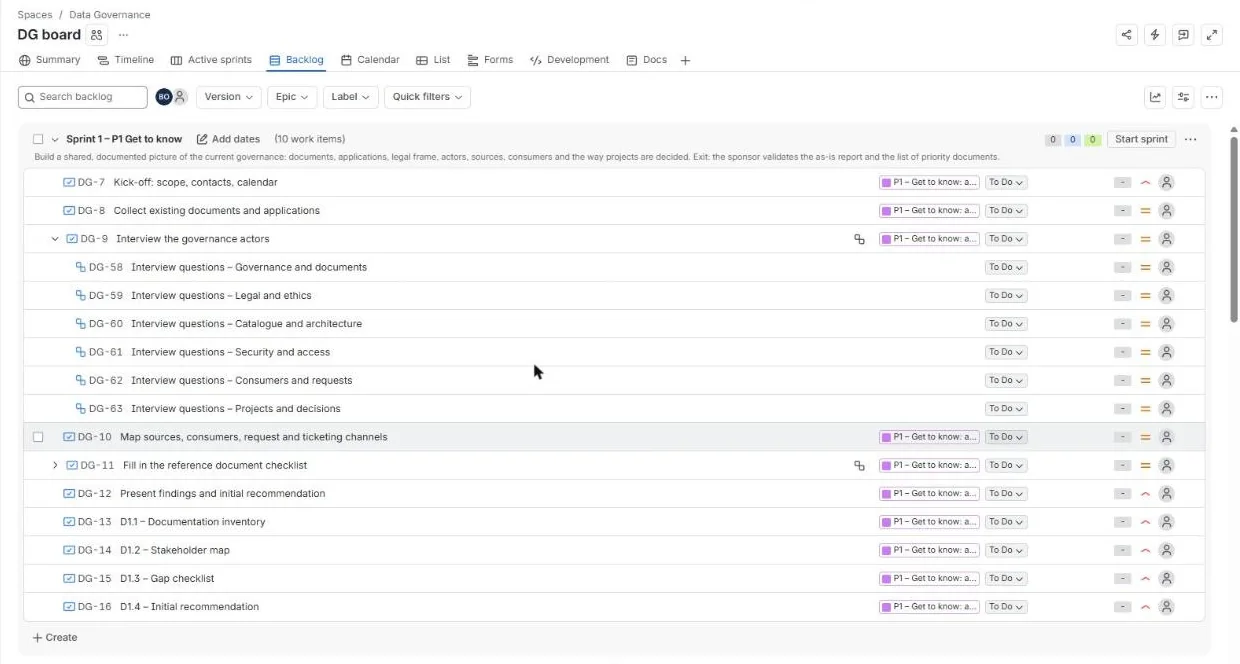
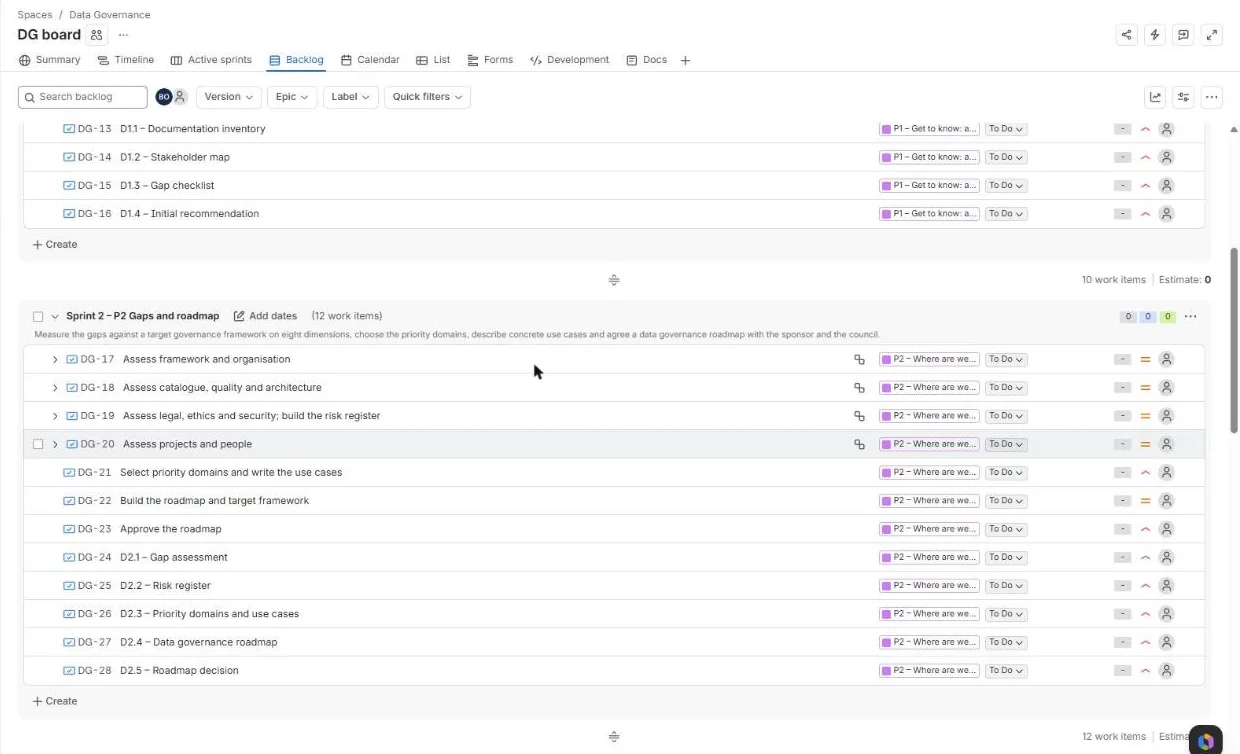
Each sprint has the goal of its phase and holds the stories of its epic. The two streams, training and coaching and governance documents, stay in the backlog: they run along the whole mission and feed every sprint. In a real mission the sprint length and dates are set with the client; a phase may take several two-week sprints.
The backlog shows the plan at a glance: each sprint carries its goal and its stories, each story belongs to an epic (the purple tag), and each story can be broken into sub-tasks, for example one per interview theme in sprint 1.
The same five statuses serve the Scrum board and the Kanban board. Blocked is a status of its own so that it shows on the board and in the sprint report; a story is Done only when its deliverable is reviewed and published in Confluence.
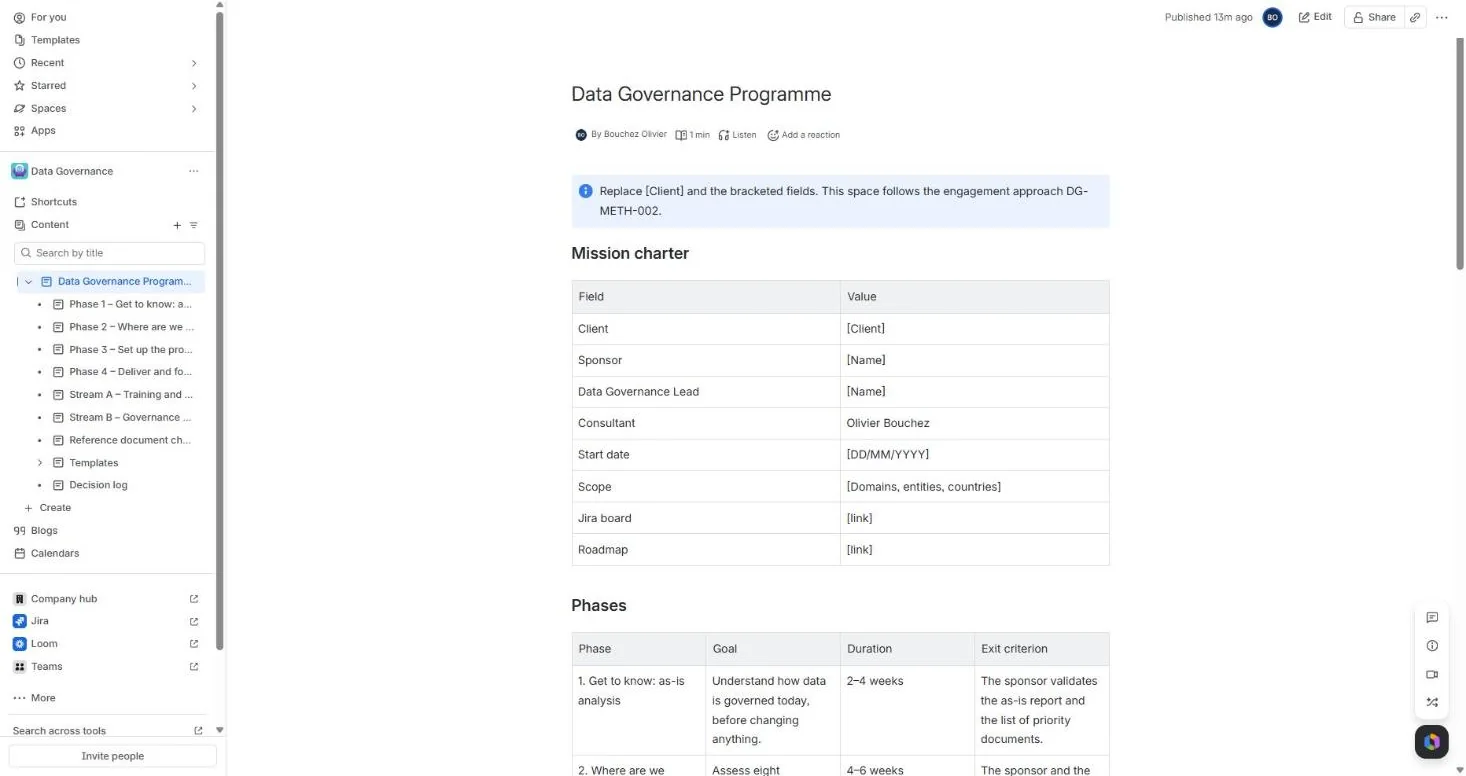
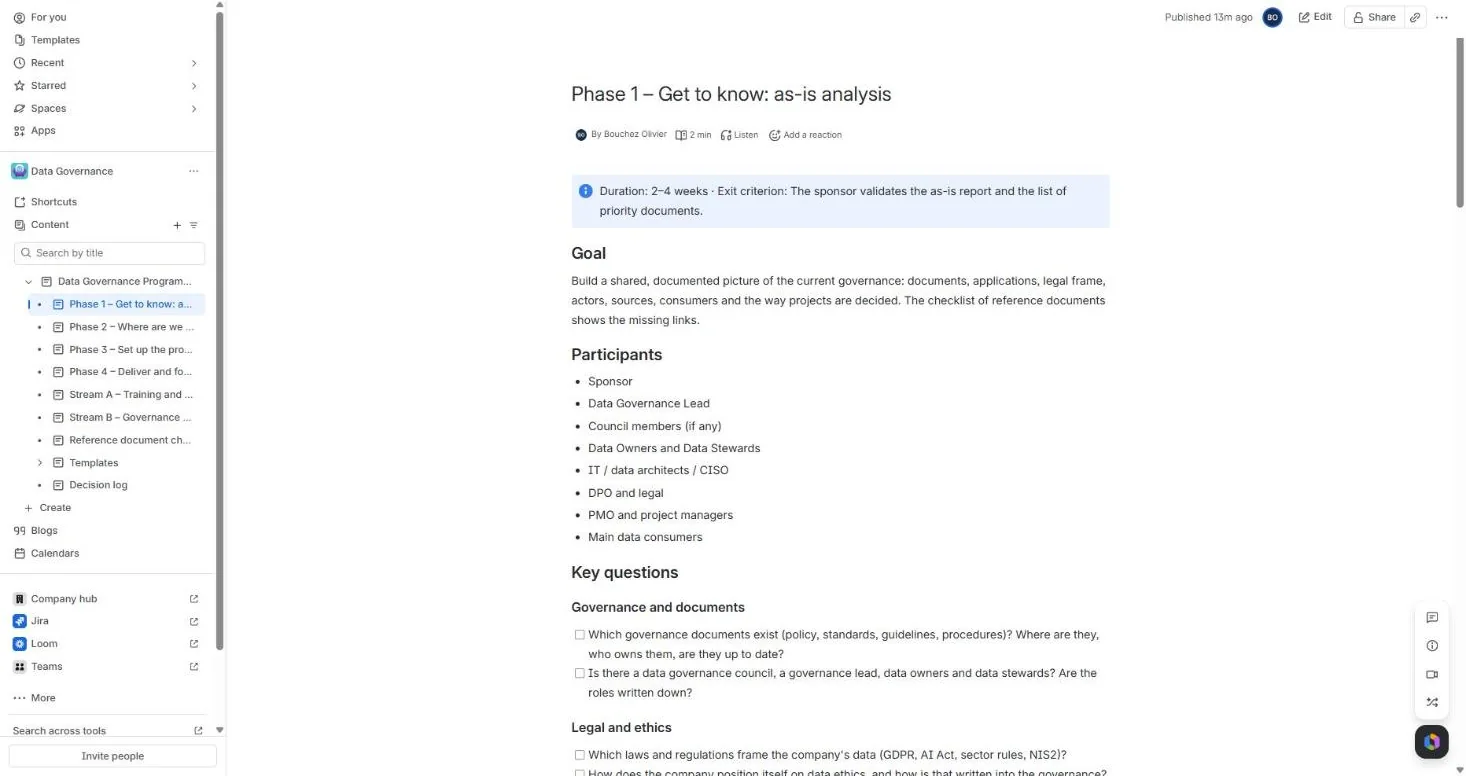
The Confluence space is the written side of the project: what was agreed, what was decided, and the documents that the client keeps. The programme page is the entry point, with the mission charter, the phases, the roles and the first ten days. The space is connected to the Jira project, so the pages can be opened from the Docs tab of the board.
| Ceremony | When | Output |
|---|---|---|
| Sprint planning | Start of sprint, 1–2 h | Sprint goal and scope |
| Daily stand-up | 15 min (Scrum) or board review (Kanban) | Blockers |
| Sprint review | End of sprint, 1 h | Demo and acceptance |
| Retrospective | End of sprint, 45 min | Improvement actions |
| PRB | Monthly, 1 h | Progress, KPIs, decisions |
Reporting stays light: one page at the start and at the end of each sprint (goal, delivered, blocked, next) and one page per month for the PRB (progress, KPIs, risks, decisions needed). Change requests are handled with the PRB, which re-prioritises the backlog.
The kit contains what you see above: the Jira import file (6 epics, 51 stories, 15 sub-tasks), the 16 Confluence pages as ready-to-publish files, a small script that creates the pages in your Confluence space, and a README with the steps.
jira-import-data-governance.csv. The README gives the column mapping that keeps the hierarchy.create_confluence_pages.py (Python 3, no dependency), or paste the page files by hand.Download the project kit (ZIP, 25 KB) Download the guide (PDF) Contact me
Licence: CC BY-NC 4.0. Free to use, share and adapt for non-commercial purposes, with attribution to Olivier Bouchez. For commercial use, please get in touch.
Every organisation has its own rhythm. I adapt the frame to the size of the team, the tools already in place and the level of agile practice, and I leave you with a way of working that you can run on your own.